

Privly for B2B SaaS Founders

Photo by Vitaly Gariev on Unsplash
Your product can solve a real problem, but a broad list of founders and department heads does not tell you who needs it. Privly helps you review your business context, find relevant prospects, and prepare outreach. Keep the first audience narrow enough that you can learn from each conversation.
Start with one offer and one customer situation
A founder’s first outbound campaign is also a learning exercise. If the audience includes every company that could theoretically use the product, a refusal is difficult to interpret. You cannot tell whether the problem is the product, the timing, or the person you contacted.
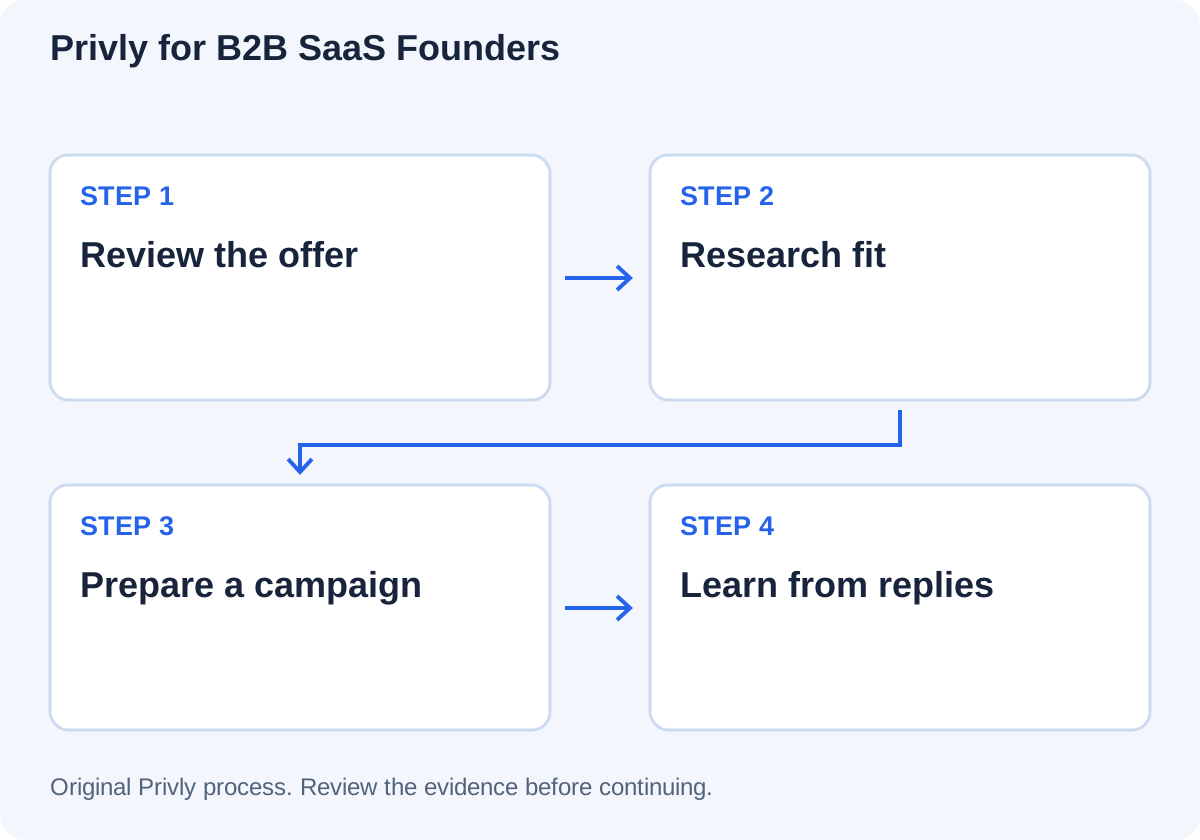
Start with the website and review the suggested business profile in Privly. Confirm the actual offer, the problem it addresses, the intended company and role, and exclusions. Remove unsupported claims before they reach a message. A generated suggestion is a starting point for your review, not evidence that buyers share the problem.
Research people before polishing the pitch
Use the reviewed profile to find relevant LinkedIn prospects and inspect the available lead context. Check the current company, role, and reason for inclusion. Keep required integrations and other unresolved facts visible in your own research notes.
Save an appropriate selection to a lead list. Before preparing a campaign, compare the list with your existing customers, active conversations, and stop requests. Do not assume a new list means every person should receive a new approach.
From evidence to the next action
Prepare the first campaign around a question
In Privly, select the audience and review the campaign goal, sender, sequence, execution mode, and message previews. Make the first question about the observed problem. Avoid promising a result before you understand the current workflow.
| Step | Decision before continuing |
|---|---|
| Profile | Does this describe what we can deliver today? |
| Audience | Why does each selected person fit this offer? |
| Message | Which verified fact supports the opening question? |
| Sender | Is this the correct authorized account? |
| Next action | Who reviews a reply and answers product questions? |
Follow the campaign setup guide for the product steps. Contact eligibility and platform requirements need review before launch.
Use replies to refine the offer
Review conversations in Messages and separate relevant interest from refusals, wrong-person replies, and requests you cannot support. Answer the question the buyer actually asked. If a call makes sense, agree its purpose and keep open requirements attached to the handoff.
Keep a brief learning record outside the campaign: the problem described, current process, constraints, and why the prospect accepted or declined a next step. Several comparable conversations are more useful than a single flattering response. A positive reply alone does not validate the whole market.
Questions from SaaS founders
Use the ICP template alongside the profile tool below to make the first audience specific.